Version history
Every note keeps its own revision log — a history of all the states it has passed through. This is versioning at the application level, not a git layer over a folder: the log lives in the metadata database (metadata DB) and accumulates states that passed through Notarium or were detected by file sync. The .md file itself remains the source of truth — the log complements it rather than replacing it.
A revision is a snapshot
Each revision stores the note's full state at the moment of the edit: title, tags, slug, and normalized body — not a line-by-line diff. Diffs for comparing versions are computed on the fly, because they are recoverable from the snapshots.
Revision bodies are content-addressed (sha-256), so identical content is stored once. Restoring a version, an agent's edit loops, and recurring states don't create extra copies — deduplication is based on the content itself.
The log is keyed by the note's internal identifier (notarium-id), not by its file path. That's why history survives moving between folders and renaming: it's still the same note with the same history.
Provenance: who edited, and how
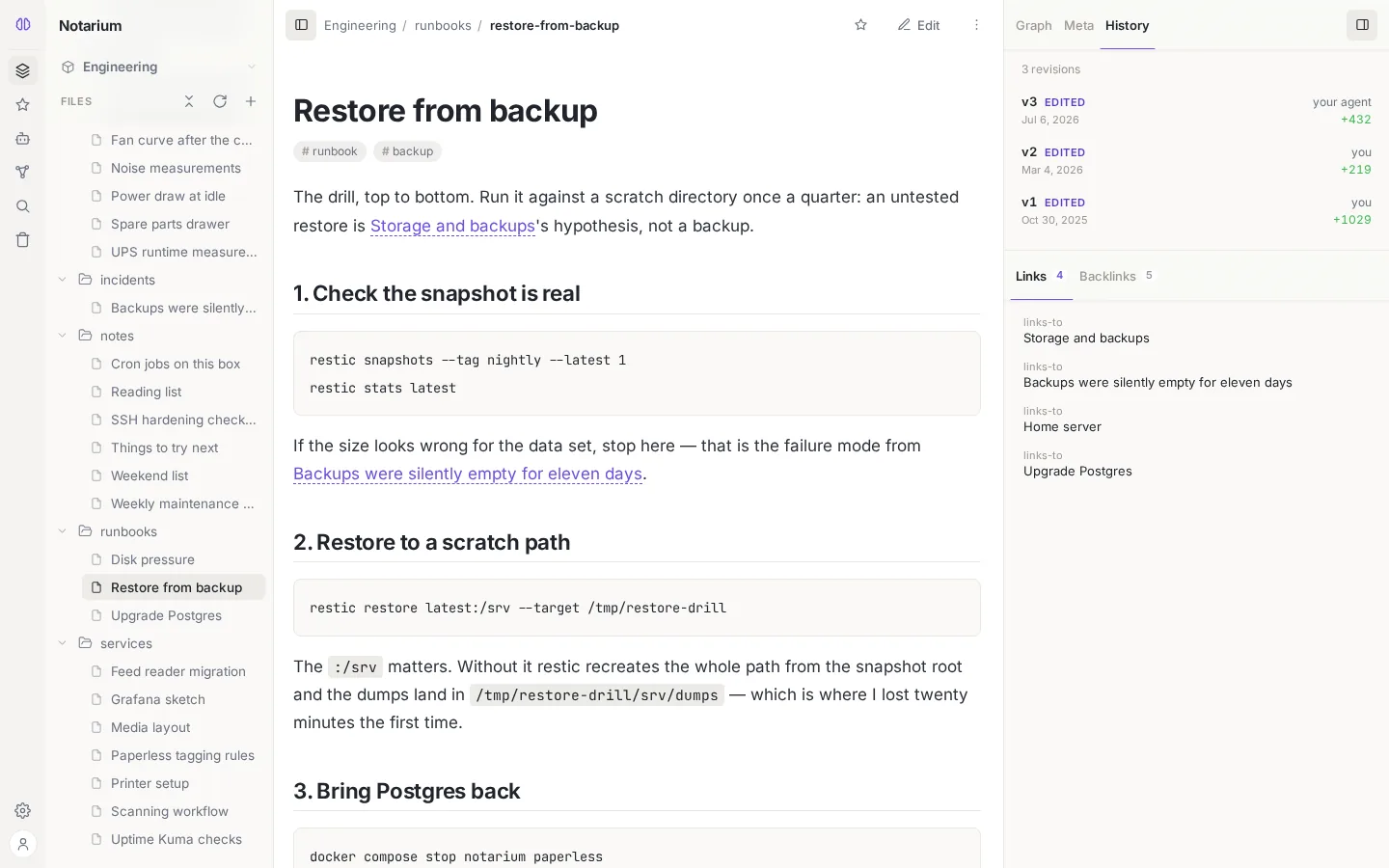
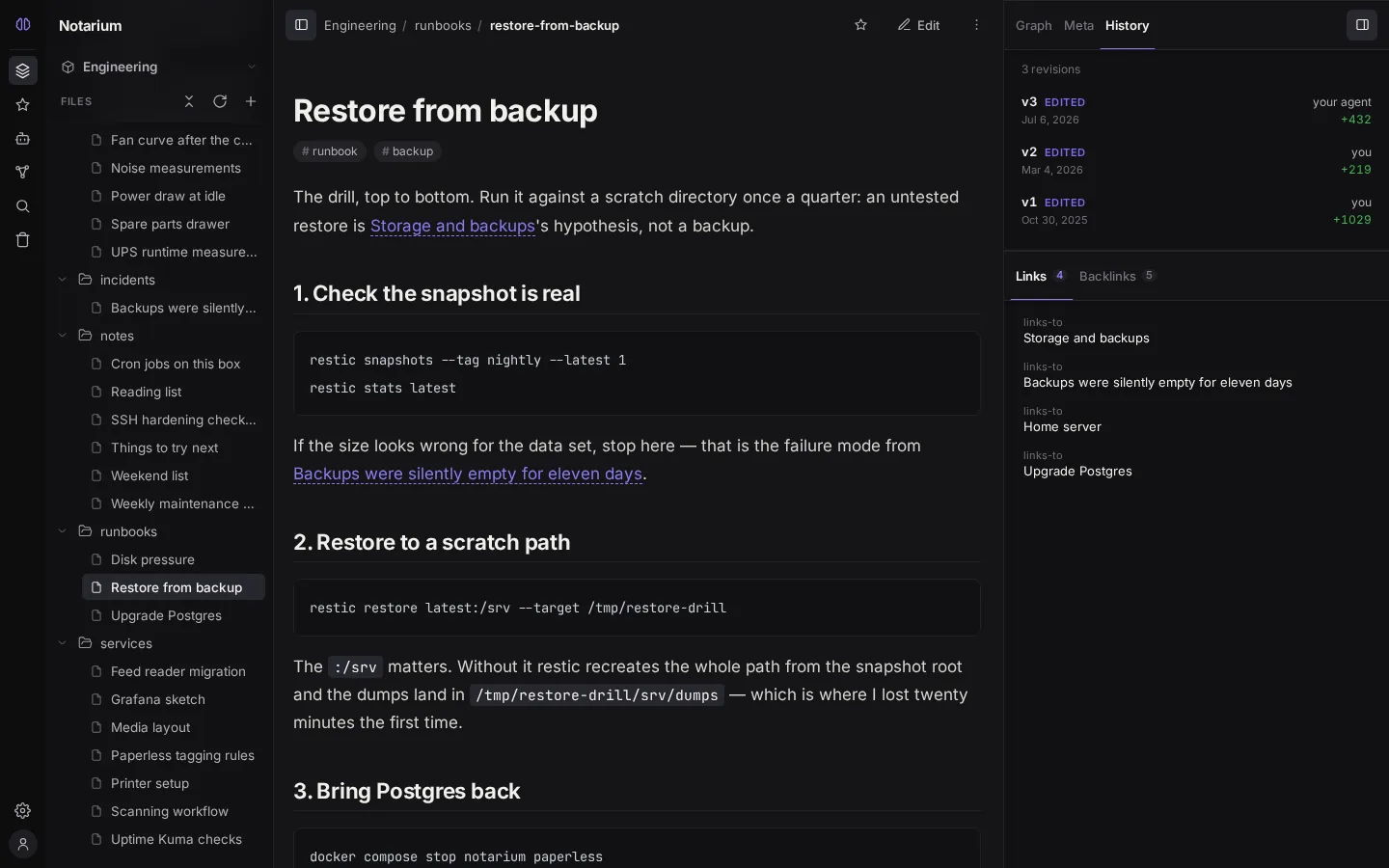
Every revision is signed — you can see where a change came from. A revision has a kind and an authoring principal:
| Revision kind | What it means |
|---|---|
write | A save through Notarium (human or agent) |
external | A state detected by file sync directly on disk |
restore | A rollback to a past version (keeps a reference to the source) |
delete | Tombstone: the last state of a deleted note |
The author is recorded as a specific user, an agent's personal token, or the interface; external edits have no author — there's no one to sign them. So the history shows exactly what a human edited and what an AI agent did. For more on separating human and agent edits, see Humans and agents.
Edits made directly in the file (bypassing Notarium) are seen by the log with the precision of a sync cycle: several changes between polls collapse into a single observed state. Edits through Notarium itself are recorded precisely.
A revision also carries counts of added and removed characters — the "cost" of the edit relative to the previous version.
Viewing, comparing, and restoring
A note's history is available from reading mode — the History tab in the side panel shows a timeline of versions: who made the edit, the +N −M counts, and the date. Selecting a revision opens it in place of the current text, with a toggle between Changes (a word-level diff with insertions and deletions highlighted) and Content (the content itself).
To roll back, use the Restore this version button. Restoring takes the body from the log and writes it as a new edit guarded by an optimistic version check: if the note was changed in the meantime, you get a conflict (409), and nothing is silently overwritten.
Storage and deletion
By default the full history is kept — Notarium doesn't prune revisions automatically. You can wipe a note's history entirely by hand, clearing it from the Trash: deleting a note creates a tombstone with its last state (which can be restored), and a final purge erases the history too.
Version history requires the metadata DB. Without the metadata DB, history lives only for the lifetime of the process. There's no scheduled automatic pruning of old revisions — we keep the history in full.
Related topics: File-first — the file as the source of truth, Trash — deletion and restoration, Access model — who can roll back versions.