Search and Spotlight
Notarium has two distinct search surfaces, and it helps to tell them apart from the start. Spotlight and OmniSearch are quick-jump: you type part of a title and jump straight to the note you want. The Feed's text filter (?q=) is corpus search: it narrows the list of notes and composes with filters by folder, tag, and date. In short: one is "jump to a note," the other is "filter the selection."
Spotlight — jump to a note
Spotlight is a centered, keyboard-driven panel that sits on top of the page. You can open it three ways, and all three lead to the same panel:
- Cmd/Ctrl+P — the quick switcher (Spotlight);
- the search icon in the left rail;
- the
/hotkey.
The panel listens for the physical key, not the character. On a Cyrillic layout, Cmd/Ctrl+P (where that physical key produces the Cyrillic letter ze) and / work exactly as they do on a Latin one.
How the panel behaves:
- Empty query → "Recent." First come the notes you recently opened (the list is kept per space), then recently modified ones fill in. The quick switcher's first job is to bring you back to where you just were.
- Typing → notes. Each keystroke refines the results through hybrid search (lexical + semantic where vector search is enabled; a graph boost over links is an extra channel, off by default; without vector search the query falls back to full-text search — without error). Matches are highlighted in the title and the snippet.
- Each result row shows a date and the parent folder's path, so you can tell apart notes that share a name.
- Keyboard:
↑/↓to select,Enterto open, Cmd/Ctrl+Enter to open in a new tab,Escto close.
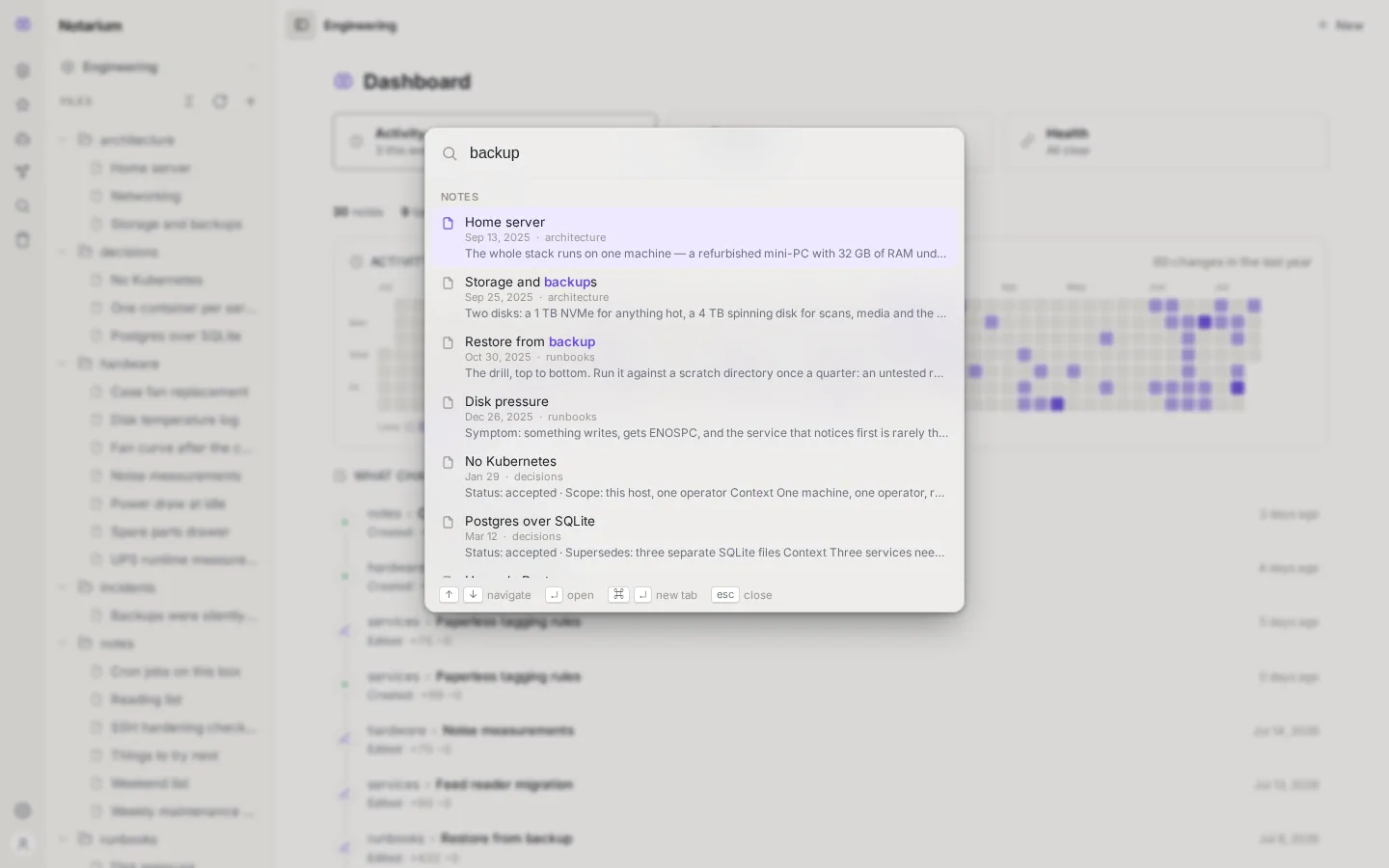
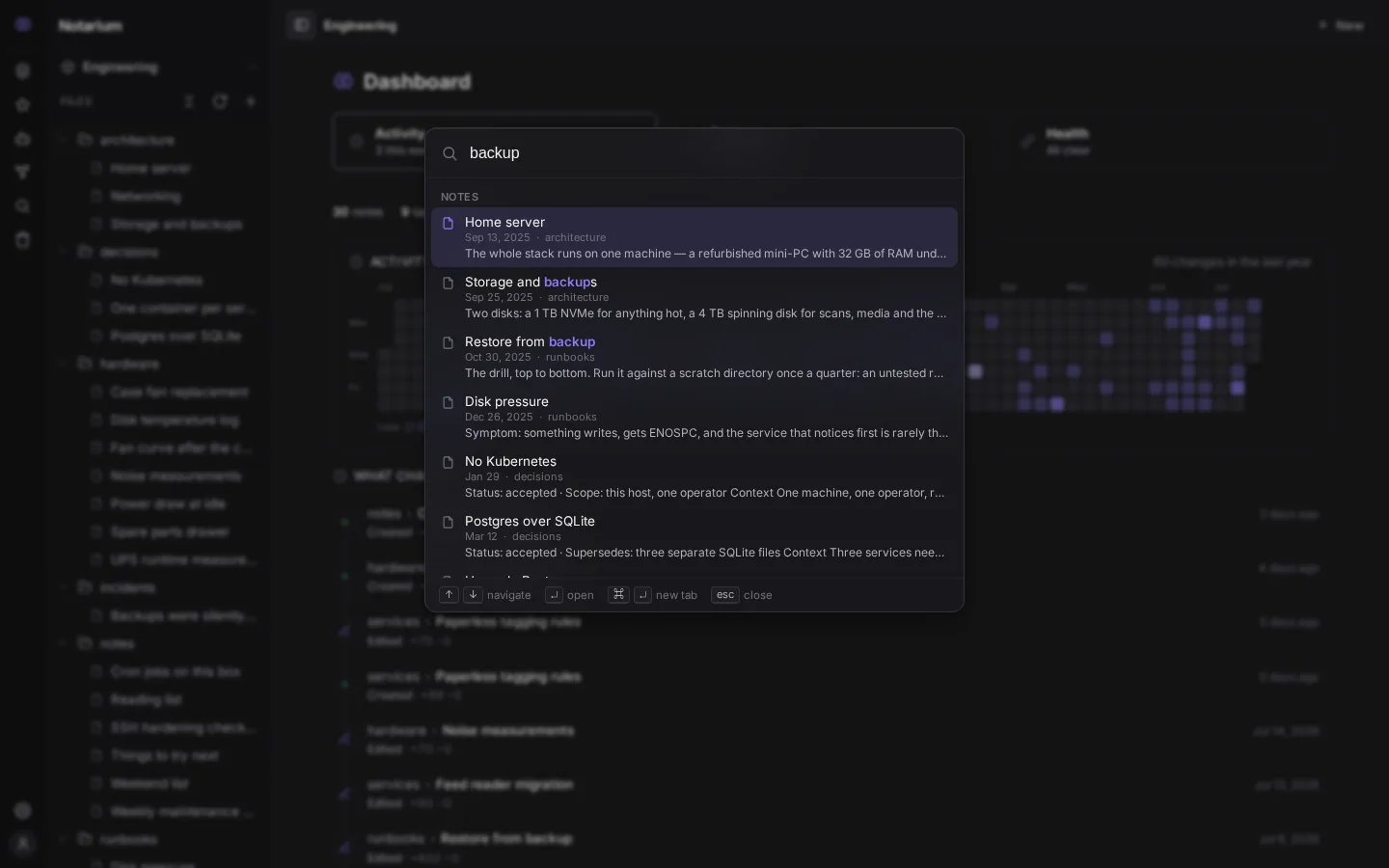
Spotlight works within the active space: it searches notes in the current space.
OmniSearch — the top-bar field
OmniSearch is the same search field, pulled out into the center of the top bar on wide screens. It shares its suggestion data with Spotlight: as you type, the same quick-jump results drop down below. The top "search in the Feed" row (or just Enter) hands the query off to the Feed as a ?q= text filter.
The field is a convenience for large monitors: on narrow screens it's hidden entirely. That's no loss of access — search is always one gesture away via the rail icon, Cmd/Ctrl+P, and /.
The Feed's text filter
In the Feed, the q query is a third filter axis alongside folders and tags: a single query language, folder ∧ tag ∧ text. Here what matters is term occurrence, not semantic closeness: the filter uses the lexical search channel (full-text), so a "semantic neighbor" without a shared word won't make it into the selection. The query lives in the URL (?q=), while the Feed window, the exact total counter, and the date histogram describe exactly that narrowed selection.
To learn how hybrid search itself works under the hood, see Search. The keyboard shortcuts for opening it are on the Keyboard shortcuts page.